


Neuroinclusive email charter
Your guide to more inclusive communications
This neuroinclusive email charter sets out simple, practical ways to make email communication clearer, more accessible, and easier to process for everyone. People read and respond to information differently, and small changes in how we write, such as being clear about purpose, structuring information, and reducing ambiguity, can make a significant difference.
By adopting these approaches, we can reduce misunderstandings, support different working styles, and create a more inclusive and respectful communication culture.
To highlight best practices and encourage a more thoughtful approach to communication:
1. Short is polite
Please be brief. Wordy responses are scanned, and key details are missed. Set a 5-sentence goal – can you write in 5 sentences or less. Use plain English to make your writing clearer, shorter, and more engaging.
Use the Hemingway editor to make your writing concise and correct.
2. Check clarity and accuracy

- Your subject line should clearly show the topic
- Consider using prefixes to indicate the nature of your email
Examples:
- – [Action required] – needs a response or task completed
- – [FYI] or [INFO] – no response needed
- – [Urgent] – time sensitive
- – [Decision] – input needed for a specific choice
- Clear opening: explain the key message/reason for writing in your opening line (don’t start with the background)
- Check spelling and accessibility: click the Review tab in Outlook
- Specify deadlines: Instead of saying “ASAP” or “soon”, give a specific date and time. “Please reply by Thursday, 4 pm”.
3. Make sure it’s accessible
- Write a clear subject line.
- Use headings for longer messages: format them as headings by using the headings toolbar (don’t create manual headings by making text bigger/bold)
- Write meaningful link text, not “click here” or “read more”. Provide context: explain where the link leads.
- Use text alternatives to all essential images so that people using screen reader software have no accessibility issues.
- Bullet points & numbering: use these for lists or steps
- Use sufficient colour contrast and a minimum font size of 12
- Make sure any attached files are accessible. Microsoft guide to accessible emails.
4. Don’t reply all and minimise CCs
- Don’t use ‘Reply all’: choose individual recipients and copy someone in only if it’s essential they see it.
- When copying someone in, be explicit about why you’re adding them to the CC list. For example: adding [Name] for visibility on the project timeline, no action needed from you. When writing this, the user can use @[Person’s Name] to tag them directly.
5. Edit the thread
- Check the email trail and cut what’s not relevant. If it’s long, summarise it or call/instant message the recipient instead.
6. Respect yours and other people’s time

- Don’t expect an instant response or feel you should give one. If it’s urgent, use Teams or send an instant message.
- Give yourself time to switch off: book half days for email-free working. Set an ‘auto-response’ to say you’re not checking, then don’t check (and never check outside work hours!).
- Pre-readings for meetings: Send agendas and documents at least 24 hours before a meeting. This allows everyone to process the information and prepare, rather than being put on the spot.
Clear, structured communication benefits everyone. By following this charter, you help create an environment where expectations are explicit, information is easier to process, and people have the time and clarity they need to respond effectively. If you have suggestions to improve this guidance, please share them. This information should be developed collaboratively and continue to evolve with input from those who use it.
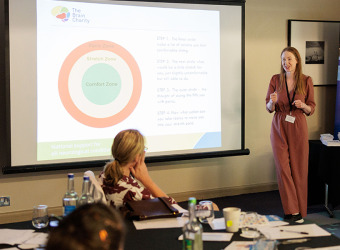
Diversity is key to the development and progression of any organisation. Hiring a neurodiverse workforce offers significant benefits and enables companies to access a broader talent pool. If you would like support around making your workplace more Neuro-inclusive, why not book our Workplace neurodiversity training?
 Share
Share
 Tweet
Tweet
Related information